Zapp Chess: Online Chess Game
DAB GamesBoard
4.4207.00 Reviews
- Version
- 2.0.213
- Installs
- 100.00K
- Age Rating
- Everyone
Screenshots
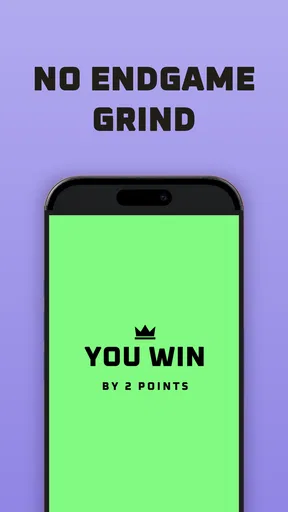
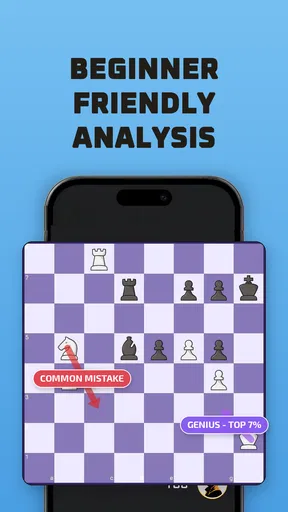
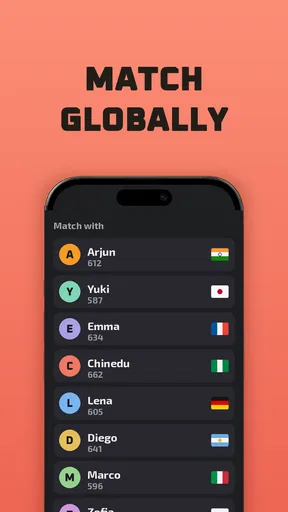
Our Review of Zapp Chess: Online Chess Game
 Analysis by Appyee
I approached Zapp Chess as someone who enjoys chess but does not always want to spend an evening studying theory. Its central idea is easy to understand: offer a quick board-game session that gets beginners playing without demanding a background in openings or endgames. That makes it a very different proposition from a traditional chess app built around deep analysis, long online matches, or structured lessons.
After using it, my view is that this is best treated as a low-pressure entry point rather than a complete replacement for every kind of chess experience. The short-session focus is useful when I have only a few minutes, and the presentation feels aimed at reducing the intimidation that often surrounds chess. At the same time, experienced players looking for serious preparation may outgrow its streamlined approach.
The game comes from DAB Games and sits in the board-game category. It is free to install, rated for Everyone, and works on Android 7.0 or later. Its current version is 1.1.105. The app has an average rating of 4.3 from around one and a half thousand ratings, with more than one hundred thousand installs, so it has already found an audience beyond a small experimental release.
How I would decide whether it fits
I’d decide whether it fits by noticing what I reach for after the first few quick games: another short match, or tools for studying a position more carefully. That small distinction can tell me whether this belongs in my regular routine or is better kept as an occasional change of pace. I’d also judge it by whether I can leave a session with one useful lesson, rather than simply chasing another result.
Start with the kind of chess session you actually want
The first question is not whether you like chess. It is whether you want a compact, approachable version of chess or a broad training environment. If I want to sit down for a long match, inspect every move, compare variations, and build a study routine, I would look toward a more traditional chess platform. If I want a fast mental break and do not want to remember a catalogue of opening moves, this game makes more sense.
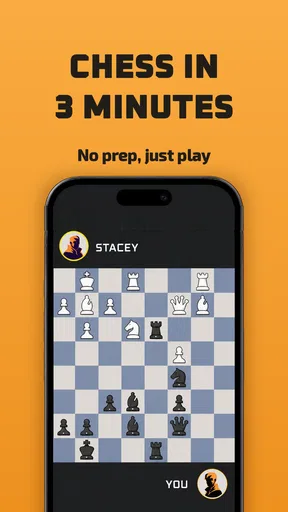
That distinction matters because the store positioning is not simply “chess on a phone.” It presents a three-minute style of play designed to let beginners start quickly. In practical terms, that makes the app suitable for a spare moment before an appointment, a short commute when I am not driving, or a quick challenge between other tasks. The appeal is less about recreating a tournament board and more about removing the delay between opening the app and making a decision.
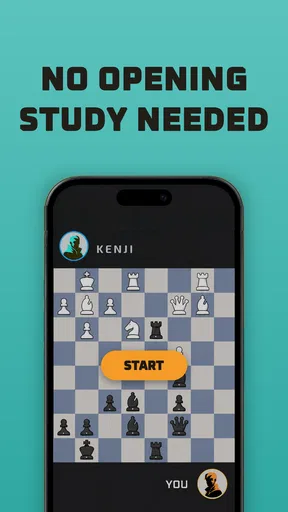
I also considered how much patience a new player needs. Chess can lose people before they have learned enough to enjoy it. The unfamiliar notation, opening names, and fear of making an obvious mistake can make a first session feel like homework. A beginner-focused design has value when it encourages action first and theory later. That is the strongest reason I would recommend trying this game.
What matters for a beginner
For a new player, the useful test is whether the game helps them form a habit. A short match is easier to repeat than a long commitment, and repeated play can make the board feel less mysterious. I would not begin by trying to memorize openings. Instead, I would use each brief game to focus on one practical question: did I leave a piece unprotected, did I notice the opponent’s threat, and did I make a move with a clear purpose?
That approach turns the app into a small daily exercise. I can play one session, think about the mistake that decided it, and stop before frustration builds. The important insight is that the short format is not only a time-saving feature; it changes how I learn. It encourages me to review my decisions mentally while they are still fresh instead of treating chess as a large subject that requires a dedicated study block.
There is also a social advantage to the approachable format. A person who normally avoids chess may be more willing to try a few minutes than to agree to a full traditional game. I would use it as an invitation for a friend who says they “do not know chess,” while keeping the first conversation focused on simple choices rather than terminology.
Where the free model needs attention
The game is free, which lowers the barrier to trying it. However, it includes in-app purchases ranging from $0.49 to $149.00 per item. That is a wide span, so I would approach the purchase screen carefully rather than assuming every useful part of the experience is included at no cost. The free entry is attractive, but the presence of optional spending means I would check what a purchase changes before committing money.
My practical advice is to play enough free sessions to decide whether the core format suits you. Do not buy anything simply because you are curious about chess or because a short game ended badly. First work out whether the app fits your routine, whether the pace feels comfortable, and whether you want a deeper experience than its beginner-friendly direction provides.
Where this game wins over a conventional chess app
The clearest advantage is immediacy. Traditional chess apps often serve many purposes at once: online games, puzzles, analysis boards, lessons, ratings, and opening databases. Those tools can be excellent, but they can also make the first screen feel crowded. Zapp Chess: Online Chess Game is more appealing when I want the decision reduced to “play a quick game now.”
That simplicity has a second benefit: it can protect beginners from spending their first sessions in the wrong place. A new player does not necessarily need an opening database. They need to understand why a loose piece disappears, why moving the same piece repeatedly can cost time, and why checking the opponent’s possible reply matters. A short format gives those lessons a natural setting.
I also like the way the game can fit around inconsistent schedules. A longer chess match is difficult when I know I may be interrupted. A compact session is easier to start with realistic expectations. Even if I only play occasionally, the format does not demand that I reorganize my day around the app.
A useful routine for getting more from short games
My preferred routine would be three steps. First, I would make a quick plan before touching a piece: develop something useful, protect the king, and avoid moving without checking the opponent’s reply. Second, after the game, I would identify the first moment when the position became difficult rather than obsessing over the final mistake. Third, I would carry one lesson into the next session.
This is more effective than playing several games on autopilot. The non-obvious trade-off is that a fast chess game can create the illusion of improvement simply because it is easy to repeat. Repetition helps only when I pay attention to recurring errors. If I keep losing the same way, the answer is not necessarily to play faster; it may be to slow down for a few seconds before each move and scan for checks, captures, and threats.
I would also recommend using the game as a confidence builder, not as a test of intelligence. Beginners often resign mentally after losing material. In a short session, staying alert can still teach more than immediately starting another match. The app’s compact design is most valuable when I use it to create a manageable learning loop.
Where a different chess category may fit better
There are clear situations in which I would choose another type of chess app. A serious tournament player usually needs longer time controls and tools for examining positions in detail. Someone preparing for a club game may prefer lessons, puzzles, opening practice, or a way to revisit past games. A person who mainly wants to play friends may care more about invitations, communication, and flexible match lengths than about an instant beginner session.
I would also hesitate to recommend this as the only chess app for a child or adult who wants a structured curriculum. The Everyone rating makes it broadly approachable, but an age rating does not automatically mean the game teaches chess systematically. If the goal is to learn checkmates step by step, understand notation, or follow a planned course, a dedicated learning product may be better.
Players who enjoy the quiet, strategic rhythm of a full board may not appreciate the pressure of a compressed format. The shorter the session, the more important each moment feels. That can be exciting, but it can also reward quick reactions over careful exploration. If your enjoyment comes from spending time on one position, this may feel more like a brisk challenge than a complete chess study space.
The hidden cost of changing from traditional chess
Switching to a quick format is easy technically, but it changes expectations. I would need to accept that a short game may not answer every question about my playing strength. A result in a compact session tells me how I handled that particular burst of decisions; it does not replace a longer match when I want to test endurance, planning, and recovery from a difficult position.
There is also a learning trade-off. Fast sessions make it easier to practise regularly, but they can encourage shallow habits if I rush every move. My solution would be to use this game for repetition and confidence, then occasionally practise elsewhere in a slower format. That combination gives me the convenience of quick play without letting speed become my only chess skill.
Moving away from a full-featured chess platform may also mean giving up tools I have become accustomed to. Before making it my main app, I would ask myself whether I need detailed analysis, a broad puzzle collection, or a long-term record of improvement. If the answer is yes, I would keep a more comprehensive alternative available and use this game as a companion rather than a replacement.
Everyday scenarios where it makes sense
Imagine I have four minutes before leaving for work. Opening a traditional chess app might tempt me into a match I cannot finish comfortably. Here, the short-session concept gives me a better chance of fitting play into that gap. I can make a few focused decisions, close the app, and return later without feeling that I abandoned a long commitment.
Another good scenario is introducing chess to a friend who is nervous about losing. I would frame the first session as a quick experiment, not a serious contest. The friend can learn how pieces interact through actual decisions, while I can explain one idea at a time. The app is especially useful when the goal is to make chess feel playable before making it feel academic.
A less suitable scenario would be a family member who wants to analyse a famous position or prepare for a formal match. In that case, I would choose a tool designed around study and longer games. The right decision depends on whether the session is meant to be a quick activity or a deliberate training block.
Things I would watch during the first sessions
I would pay attention to how clearly I understand the game’s pace and choices, not just whether I win. If I feel rushed from the opening move, I would treat that as a sign that the format may not suit my preferred style. If I find myself wanting to inspect every position in depth, that is useful information too: I may be ready for a more analytical chess environment.
I would also watch my spending habits. Since optional purchases range from small amounts to a much larger top price, I would avoid treating the purchase menu as part of the learning process. The strongest test is whether the free experience is enjoyable on its own. If it is not, paying more is unlikely to solve the underlying mismatch between the app’s quick design and my expectations.
Version 1.1.105 shows that the app is being maintained as a current product, and the minimum Android requirement of 7.0 keeps it accessible to many older devices. I would still install it on the device I plan to use and judge the feel of the board, controls, and pacing directly, because those details matter more to me in a chess game than a long feature list.
My recommendation for different players
I recommend giving it a try if you are new to chess, returning after a long break, or looking for a brief board-game session that does not begin with theory. It is also a good candidate for people who want a simple way to practise noticing threats and making decisions under light time pressure. The free price makes that trial straightforward, provided you treat in-app purchases with care.
I would recommend it less strongly to advanced players, dedicated students, and anyone who wants one app to cover every part of chess. Those users are likely to value depth, analysis, longer games, or a structured programme more than instant access. They may still enjoy this as a casual side game, but I would not expect it to replace their main training tool.
My final judgement is positive but specific: this is a useful beginner-oriented board game when the main obstacle is getting started. Its strength is not that it turns chess into something effortless; rather, it makes the first step small enough to repeat. Choose it for quick practice and approachable play, not as a complete substitute for serious chess study.
For me, that is a worthwhile role. I can open it when I have only a little time, focus on one decision-making habit, and leave without feeling that I failed to complete a major task. If that sounds like the kind of chess you want, DAB Games has made a sensible option. If you want deep preparation or a slower, more traditional match, another category of chess app will serve you better.
Privacy and Permissions
See what permissions an app requests and how it handles your data.
- Location
- approximate location (network-based), precise location (GPS and network-based)
- Phone
- read phone status and identity
- Photos/Media/Files
- read the contents of your USB storage, modify or delete the contents of your USB storage
- Storage
- read the contents of your USB storage, modify or delete the contents of your USB storage
- Wi-Fi connection information
- view Wi-Fi connections
- Device ID & call information
- read phone status and identity
- Other
- view network connections, connect and disconnect from Wi-Fi, full network access, change your audio settings, run at startup, draw over other apps, control vibration, prevent device from sleeping, modify system settings
Verdict
Strengths of Zapp Chess: Online Chess Game
- Fast online matchmaking with players of different skill levels.
- Clean board design makes pieces easy to recognize on small screens.
- Practice games help beginners learn without pressure from ranked matches.
- Suitable for short sessions thanks to quick game formats.
- Online competition can make regular chess practice more engaging.
Limitations of Zapp Chess: Online Chess Game
- A stable internet connection is needed for most online matches.
- Match quality may vary when opponents have very different experience levels.
- Ads or optional purchases may affect the free-play experience.
- Small screens can make precise piece selection less comfortable.
- New players may need time to understand all available game modes.
Similar Picks in This Category
View All
Ludo King®
Gametion4.1

Ludo
Yarsa Games4.6

Tile Master® - Matching Game
Higgs Studio3.6

Checkers Online
CC Games4.6

Dominoes
Loop Games4.7

Chess
Chess Prince4.6
Frequently Asked Questions
What is Zapp Chess: Online Chess Game?
Zapp Chess: Online Chess Game is a mobile chess app designed for players who want to enjoy traditional chess matches on Android or iOS devices. It generally focuses on online gameplay, allowing users to challenge other players, practice their skills, and play from almost anywhere. Before downloading, check the current version’s supported features, available game modes, and device compatibility.
Can I play Zapp Chess online with friends or other players?
Yes, the main purpose of Zapp Chess is online chess gameplay. Depending on the version and available features, you may be able to invite friends, join matches with other users, or compete against randomly selected opponents. A stable internet connection is usually required for online games, and some multiplayer functions may require account registration or access to the developer’s online services.
Does Zapp Chess include games against the computer?
Zapp Chess may offer computer-controlled opponents or practice features, but the exact difficulty levels and offline options can vary between app versions. Playing against artificial intelligence can be useful for beginners who want to learn the rules or for experienced players testing openings and strategies. Review the in-app mode selection before downloading if offline or solo play is important to you.
Is Zapp Chess suitable for beginners?
Zapp Chess can be suitable for beginners who are learning the basic rules of chess and want to improve through regular matches. However, the usefulness of its learning tools depends on the version available in your region. New players should look for features such as legal-move guidance, hints, tutorials, difficulty settings, or post-game analysis, as these can make the experience more accessible and educational.
Is Zapp Chess free to download, and does it contain advertisements or purchases?
Zapp Chess may be available as a free download, but availability, advertising, and optional in-app purchases can differ between Android and iOS. Some versions may display ads, offer premium features, or include purchases related to customization or enhanced gameplay. Before installing, check the official store listing for the latest pricing details, permissions, subscription terms, and whether an internet connection is needed.
Play our best games!


